Jira Cloud updates in Google Chat. Only the ones that matter.
Send Jira issue updates to any Google Chat space through an incoming webhook. Filter by project or JQL, keep each issue in its own thread, get a daily summary, and let every person subscribe to just their own work.
- Built on Atlassian Forge
- No SagoSoft servers
- Free for up to 10 users
- 30-day free trial
- English · Español · Português
What it does
Paste a webhook and you're done
No Google sign-in, no Google OAuth, no third-party cookies, no bot to install. Paste the space's webhook URL and press Send test. In Jira, Atlassian's standard Allow access screen appears once so the app can check permissions as you.
Less noise
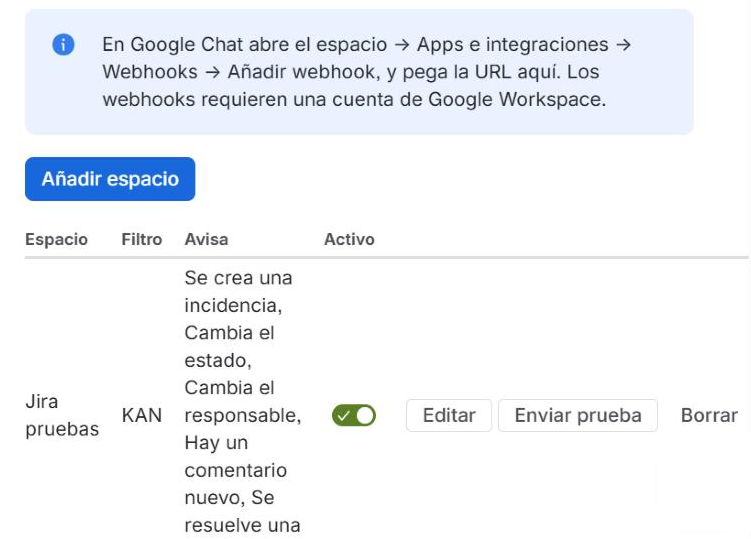
Pick projects, add a JQL filter and choose which events count. Background changes such as Rank or time tracking never notify.
Only the transitions you care about
Notify status changes only when an issue moves into the statuses you pick, for example Done or In Review.
One thread per issue
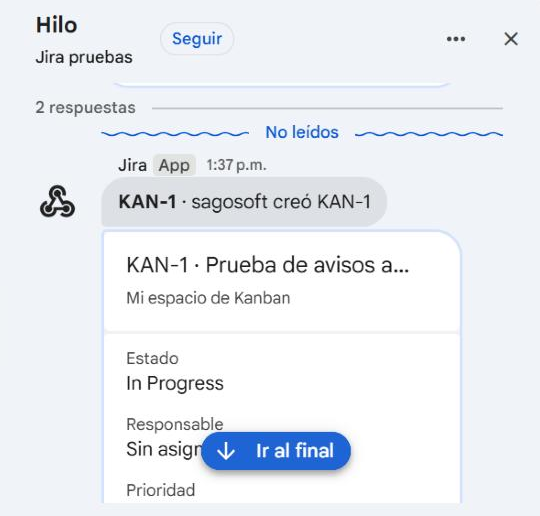
Every update for the same issue lands in the same Google Chat thread, so the space stays readable.
Readable messages
A card with status, assignee, priority and the comment text, with mentions shown as real names. Or a compact one-line style.
Daily summary
The 50 most recently updated issues of the last 24 hours, counted by status, with the latest 10 listed, at the hour, time zone and weekdays you choose.
Personal notifications
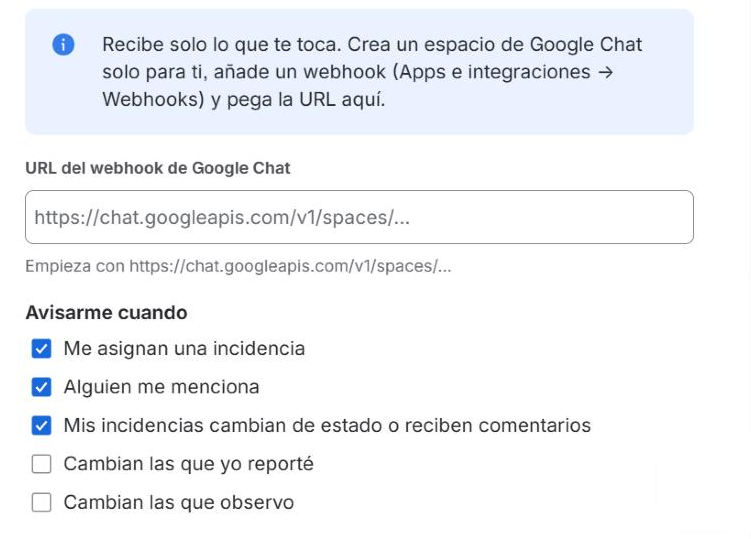
Each person gets only what concerns them: assigned to me, mentions, issues I reported or watch. Jira permissions are checked as that person before every message.
Three languages
Messages in English, Spanish or Portuguese, chosen per space. The settings pages follow each user's Jira language.
Screenshots
How to install
- Install the app from the Atlassian Marketplace on your Jira Cloud site. A Jira administrator has to do this. It's free for sites with up to 10 users; larger sites start with a 30-day free trial.
- Create a webhook in Google Chat. Open the space in a browser → click the space name → Apps & integrations → Add webhooks. Name it, save it and copy the link.
- Add the space in Jira. Go to Settings (⚙) → Apps → Sago Alerts — Google Chat, click Add space, paste the link, choose projects and events, then press Send test and Save.
- Optional: personal notifications. Anyone can open profile picture → Sago Alerts — Google Chat and connect a private space of their own.
Requirements
- Jira Cloud. Jira Data Center and Server are not supported.
- A Google Workspace Business or Enterprise account with incoming webhooks allowed. Personal Gmail accounts can't create webhooks.
- A Jira administrator to set up shared spaces. Personal notifications need no administrator.
Privacy and security in one paragraph
The app runs entirely on Atlassian Forge, inside Atlassian's cloud. SagoSoft runs no servers and keeps no database for it. Settings stay in your site's Forge storage and webhook URLs are stored as encrypted secrets. The only data that leaves Atlassian is the message itself, sent to chat.googleapis.com and only to the spaces you configure. No analytics, no tracking. Details in the privacy policy and the security overview.
Links
Documentation
Step-by-step setup, every option explained, known limitations and troubleshooting.
FAQ
Short answers about requirements, delays, pricing, data and more.
Support
Self-service first; email support@sagosoft.com with the details listed there.